Youtube Shorts is a new feature of youtube that enables creators to upload short, snappy videos for up to 60 seconds. With this new approach receiving quite a boom, it's quite natural that everyone wants to download Youtube shorts' videos.
Want to watch YouTube Shorts without buffering or internet limits? MeowLoad is your go-to tool to download and save your favorite videos in seconds. Whether it’s for offline viewing, sharing with friends, or finding creative inspiration, we make the process effortless.
Step 1: Download and install the app.
Get MeowLoad and install it on your Windows, macOS computer.
Step 2: Launch the app.
Double-click the MeowLoad icon to open the app.
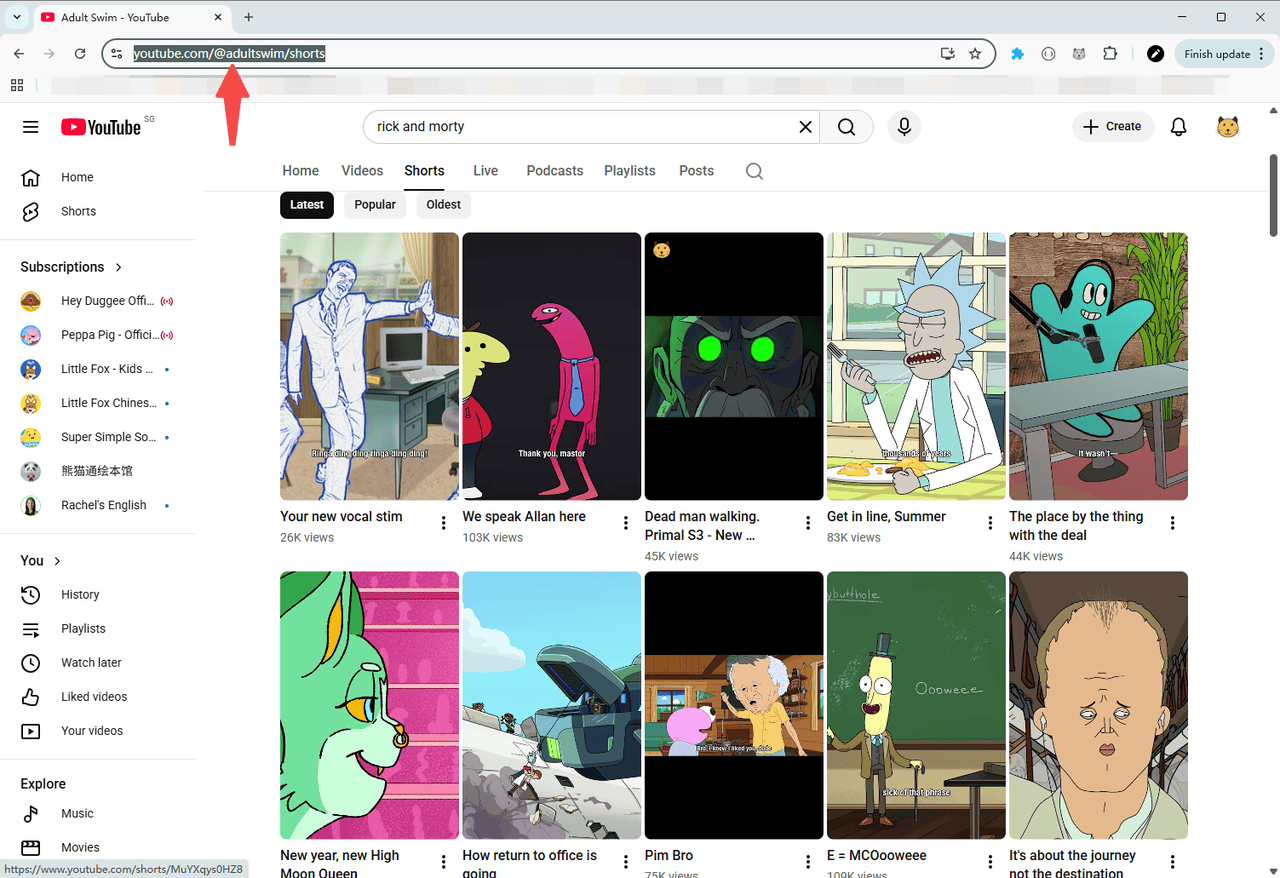
Step 3: Copy the shorts link.
Go to YouTube, find the shorts you want to download, and copy its URL from the browser’s address bar.
Step 4: Paste and parse
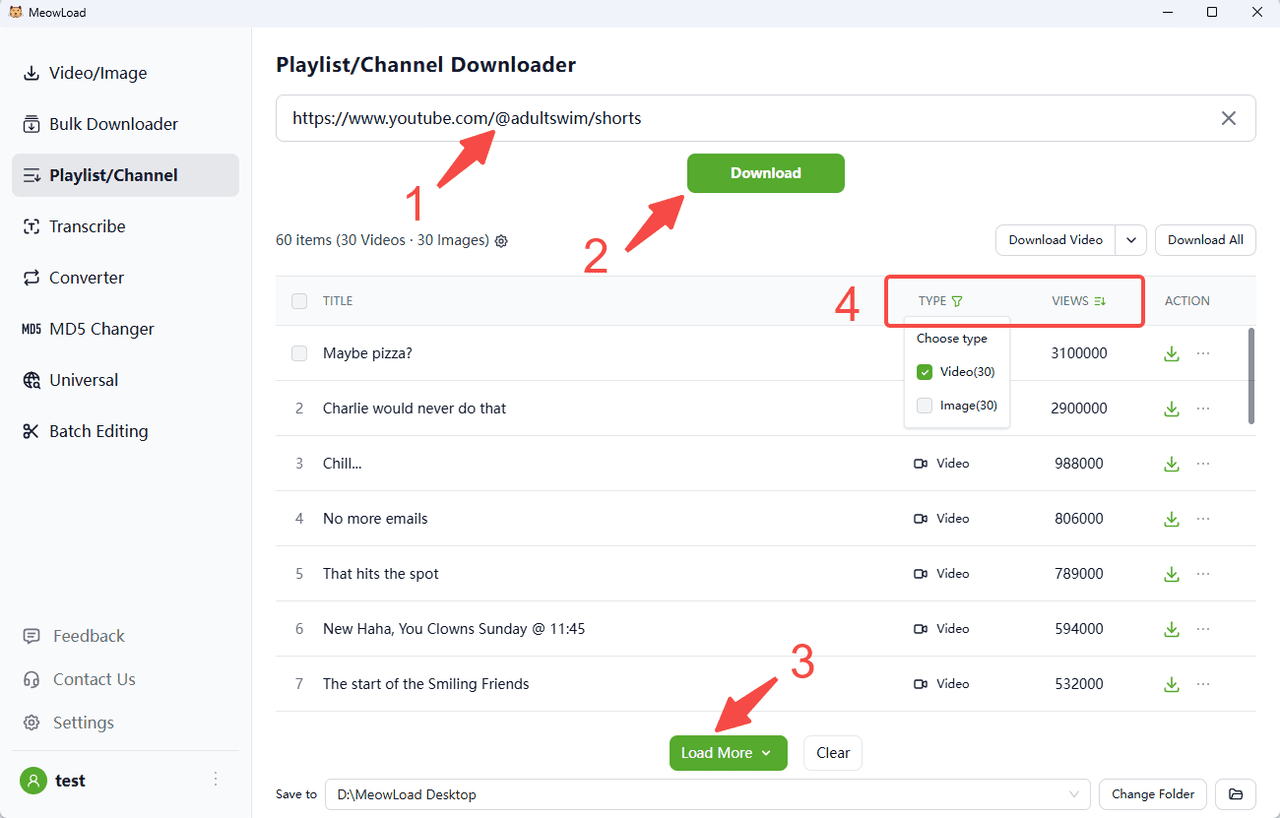
Paste the channel link and click the Download button. You can preview the downloadable resources.
Step 5: Filter and sort
Click the filter to select the types you need, and sort them in descending or ascending order by views or likes.
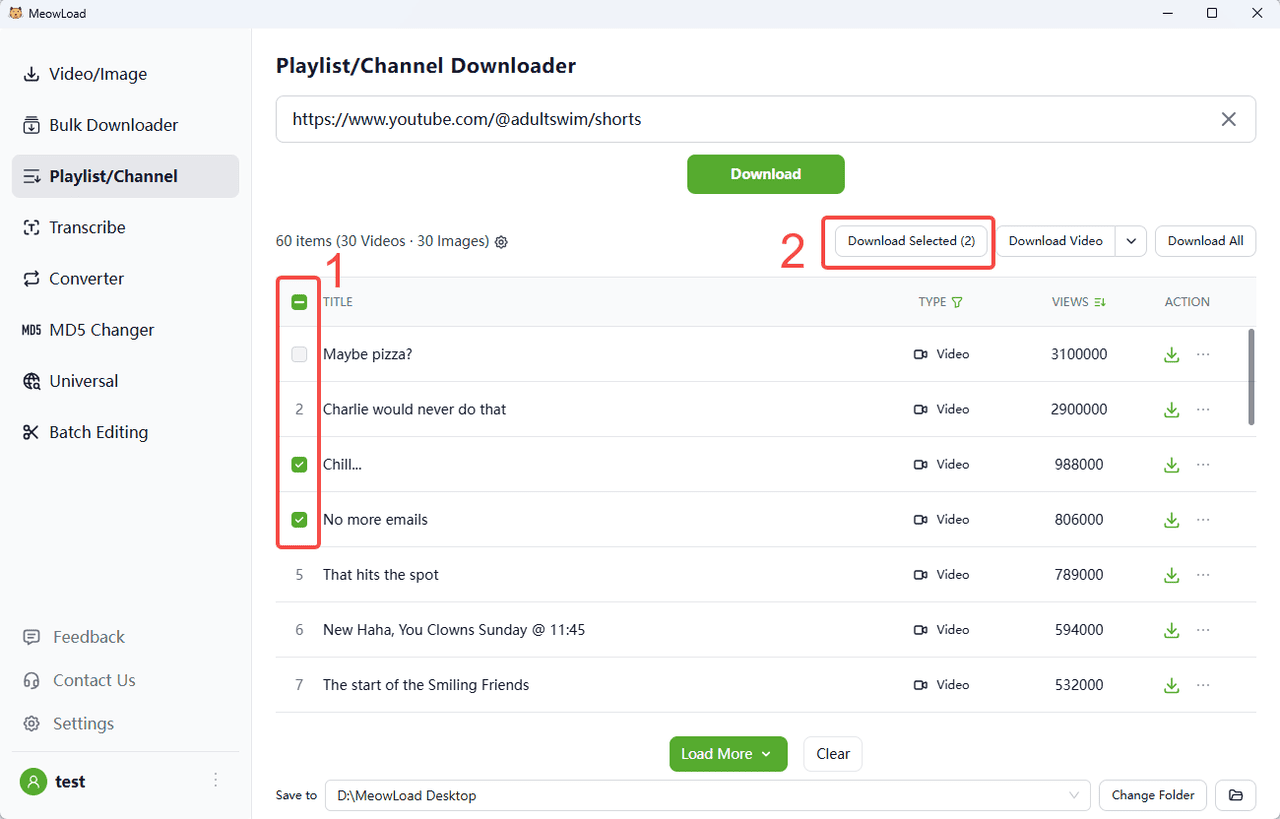
Step 6: Select and download
Select all or check the items you need, then click the Download Selected button.
Step 7: All set !
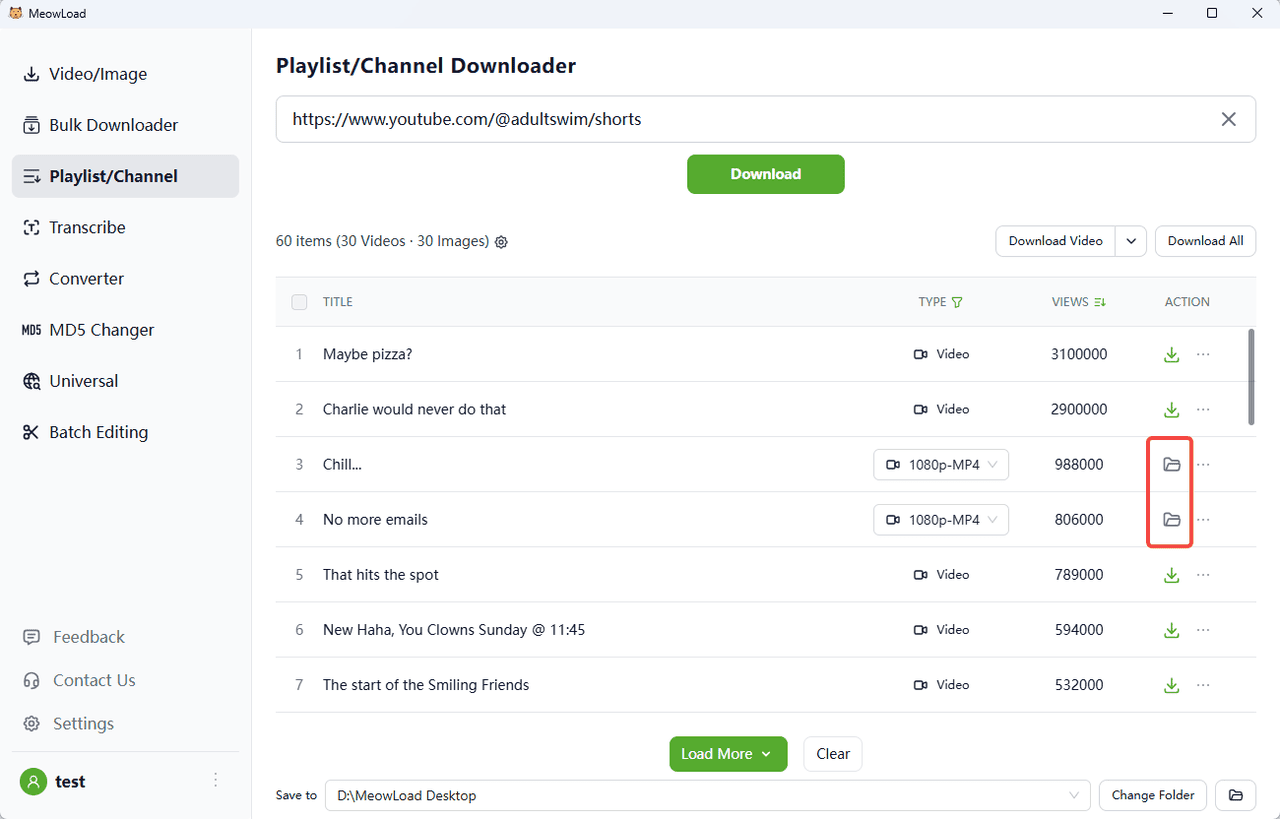
Once the download is complete, click the folder icon to check out your files.